
Overview
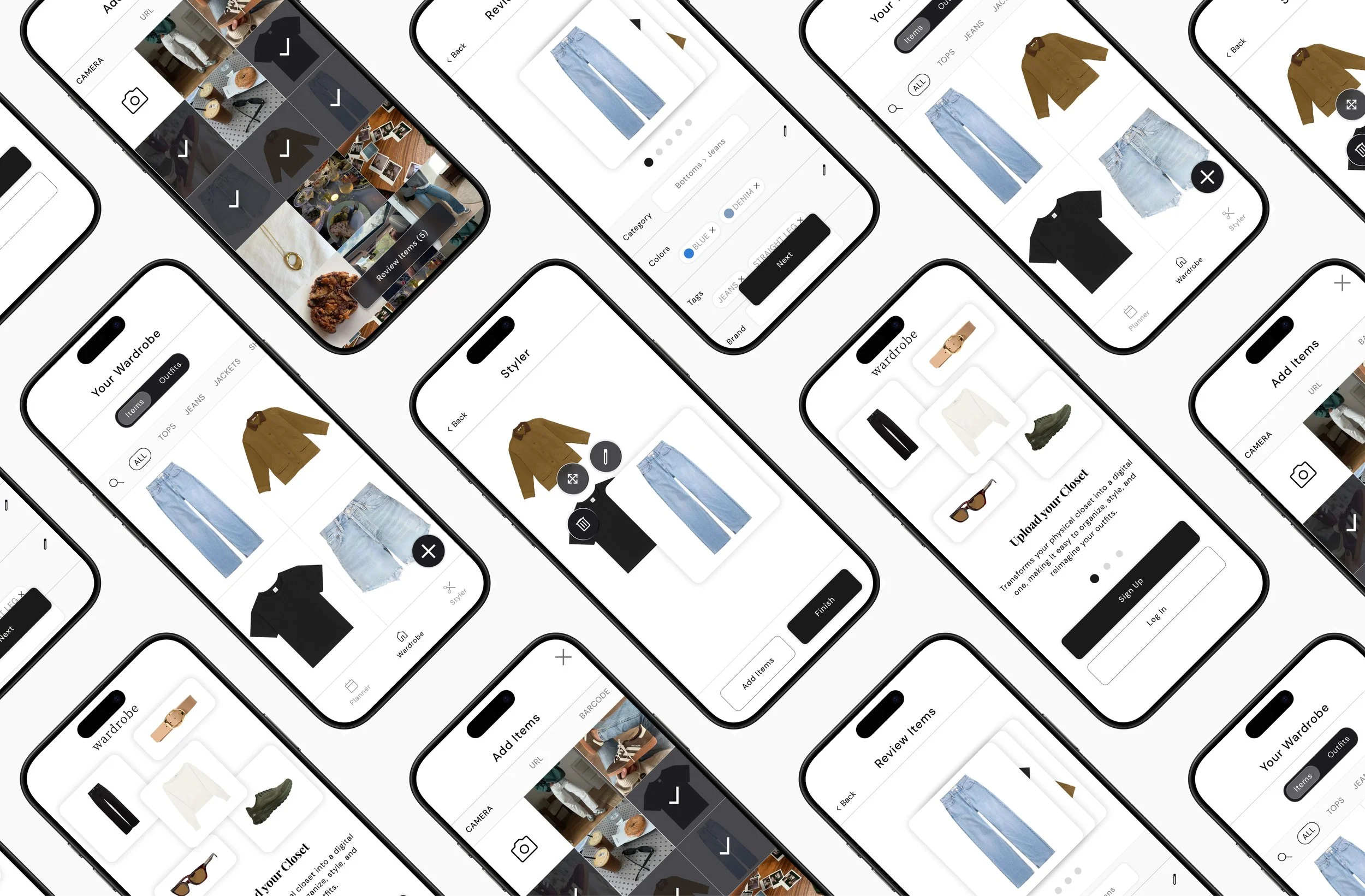
Wardrobe is a fashion-focused digital closet platform designed to help users catalog, style, and reimagine their existing clothing. I led research and concept development to explore how technology can support personal style, sustainability, and daily decision-making.
Role
Product Designer (UX/UI)
User interviews · Persona development · Interaction design · Feature prioritization · High-fidelity prototypingTimeline: 6 weeks
ShopMy
Enhancing Product Discovery Through Smarter Filters
User Research & Problem Validation
Conducted user interviews with 5 participants to identify problems across different users regarding decision-making as it relates to wardrobes, validating that wardrobe overwhelm and decision fatigue were widespread issues affecting daily routines and special occasions.
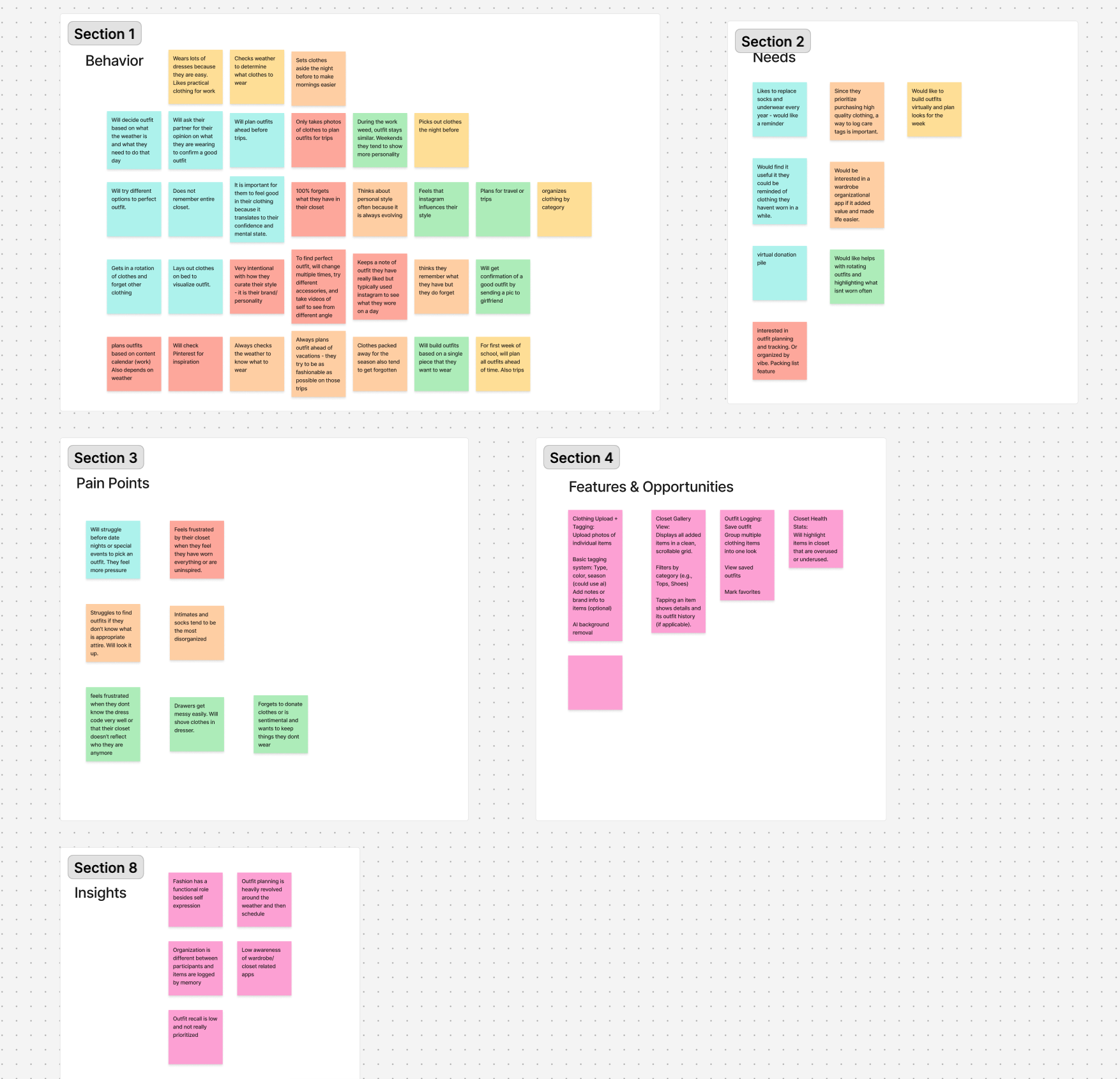
Created an affinity map to synthesize interview data, revealing key pain points: feeling uninspired by their closet, forgetting to donate sentimental items, messy drawer organization, and increased pressure when choosing outfits for date nights or special events.
Identified critical insights including: fashion serves both functional and expressive roles, outfit planning depends heavily on weather and schedule, organization methods vary widely across users with items primarily logged by memory, outfit recall is consistently low, and awareness of wardrobe apps is minimal.
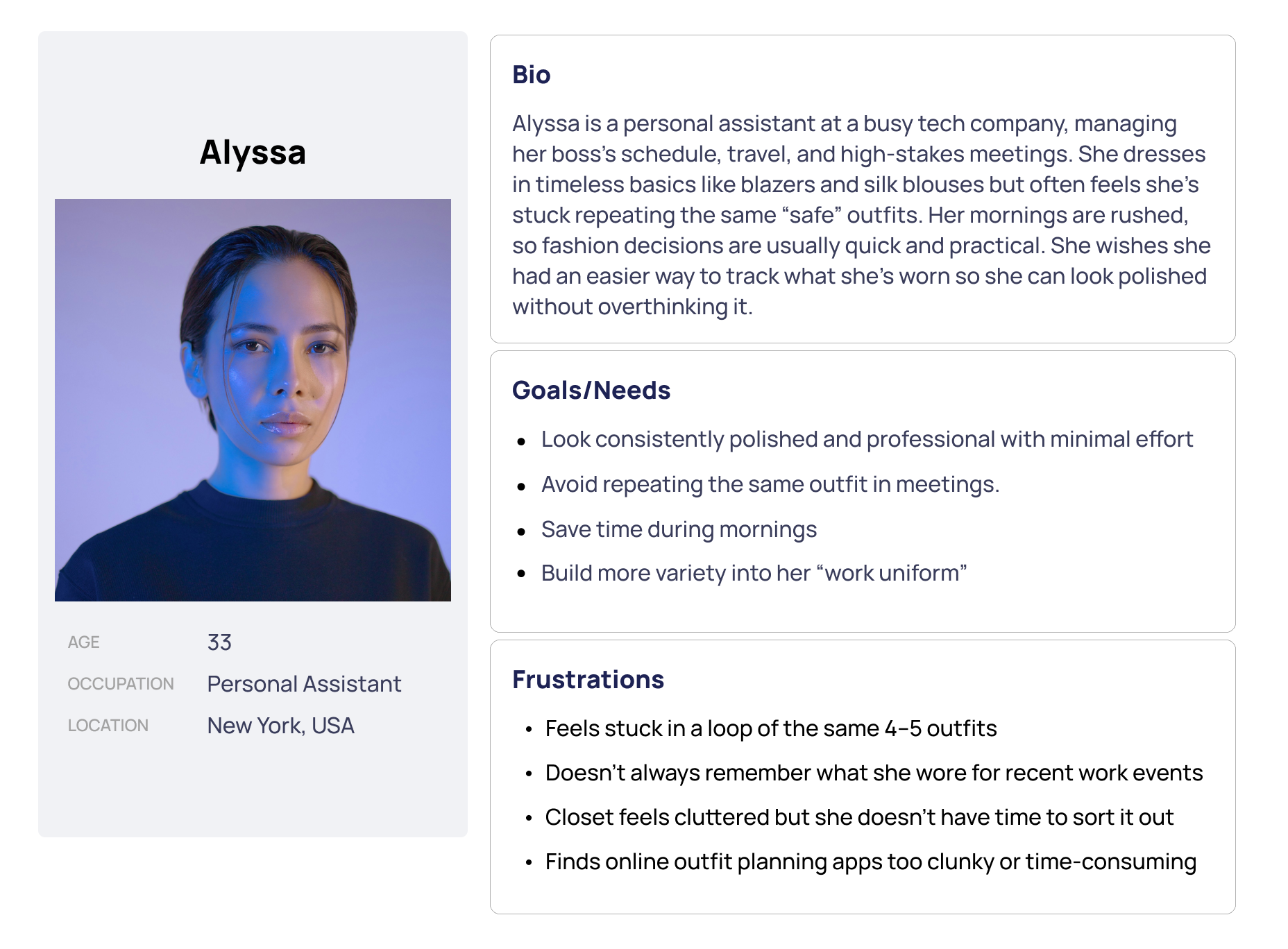
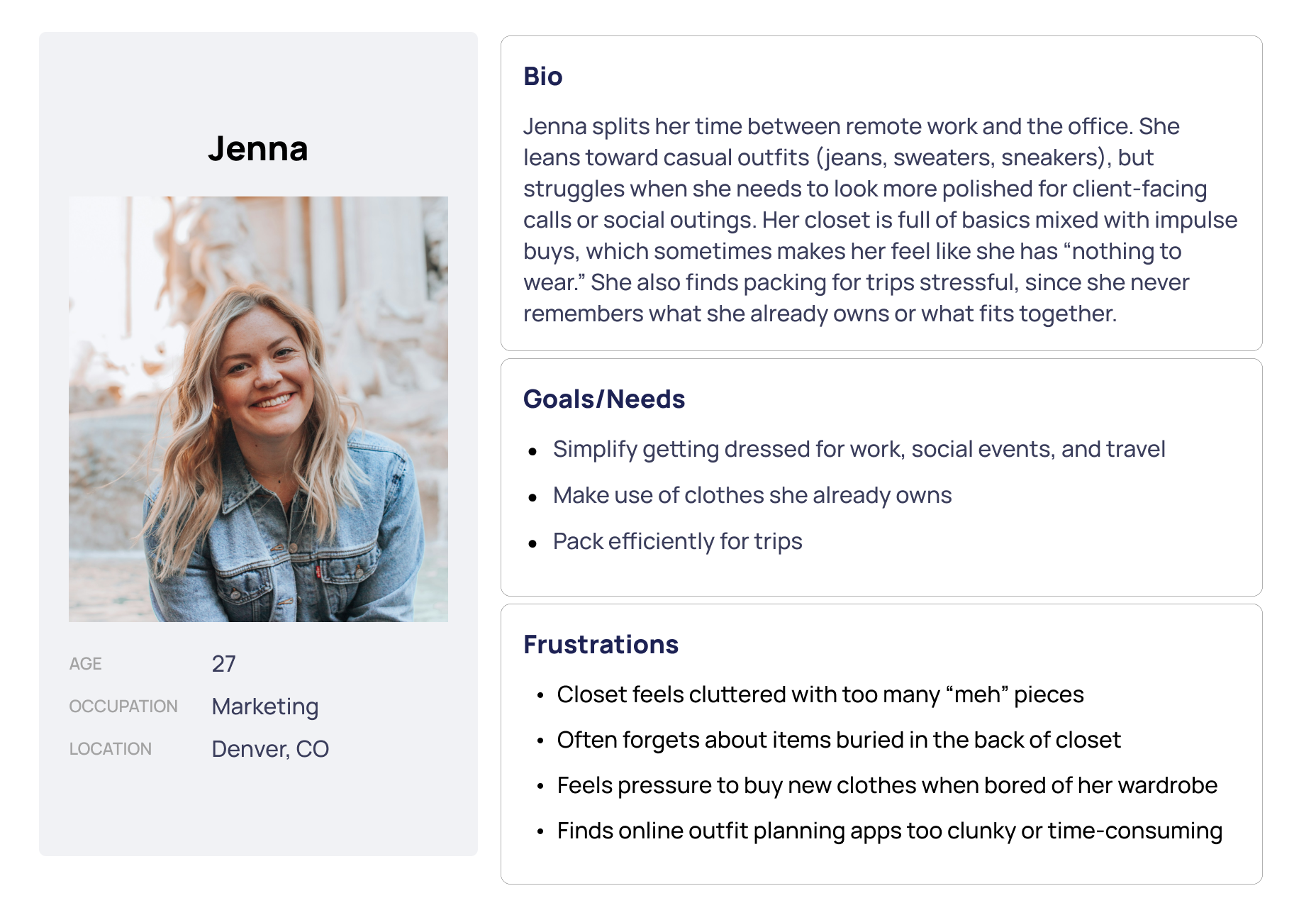
Developed two user personas based on synthesized behaviors and needs from the affinity map to guide design decisions and maintain user-centered focus throughout the project.
Problem Definition & Feature Prioritization
Information Architecture & Low-Fidelity Wireframing
Translated research insights into three focused problem statements addressing outfit decision fatigue, closet overwhelm with underused items, and packing stress for trips. Used these to identify must-have core features for the MVP.
Defined three problem statements targeting specific user struggles: busy professionals facing daily outfit decisions with limited time and cluttered closets; wardrobe owners forgetting or underutilizing items due to memory-based tracking; and travelers struggling to pack efficiently without visualizing their existing wardrobe.
Identified feature opportunities through pain point analysis: clothing upload with tagging (type, color, season), AI background removal, closet gallery view with filtering capabilities, outfit logging with favorites, and closet health stats highlighting overused/underused items.
Prioritized three core "must-have" features for MVP: Clothing Upload & Organization (with AI categorization and strategies to reduce initial labor like daily upload reminders), Outfit Logging (one-tap save with calendar view and event notes), and Outfit Planning (drag-and-drop outfit building with save/nickname functionality and weekly calendar integration). Each feature was validated against its ability to solve primary user pain points.
Problem Statements
Outfit Decision Fatigue
Busy young professionals struggle to decide what to wear each day because they have limited time, cluttered closets, and forgot what they've worn before. They need a simple visual way to log, plan, and recall outfits so they can quickly dress without stress.
Closet Overwhelm & Underused Items
People with medium to large wardrobes who own many items forget or underutilize them because they rely on memory or manual tracking. They need a tool that helps them visualize, categorize, and track their clothes to maximize use and reduce clutter.
Packing Stress for Trips
Professionals and frequent travelers struggle to pack efficiently because they can’t easily recall what items they own or what fits together. They need a way to plan travel outfits using their existing wardrobe without physically digging through their closet.
MVP Features
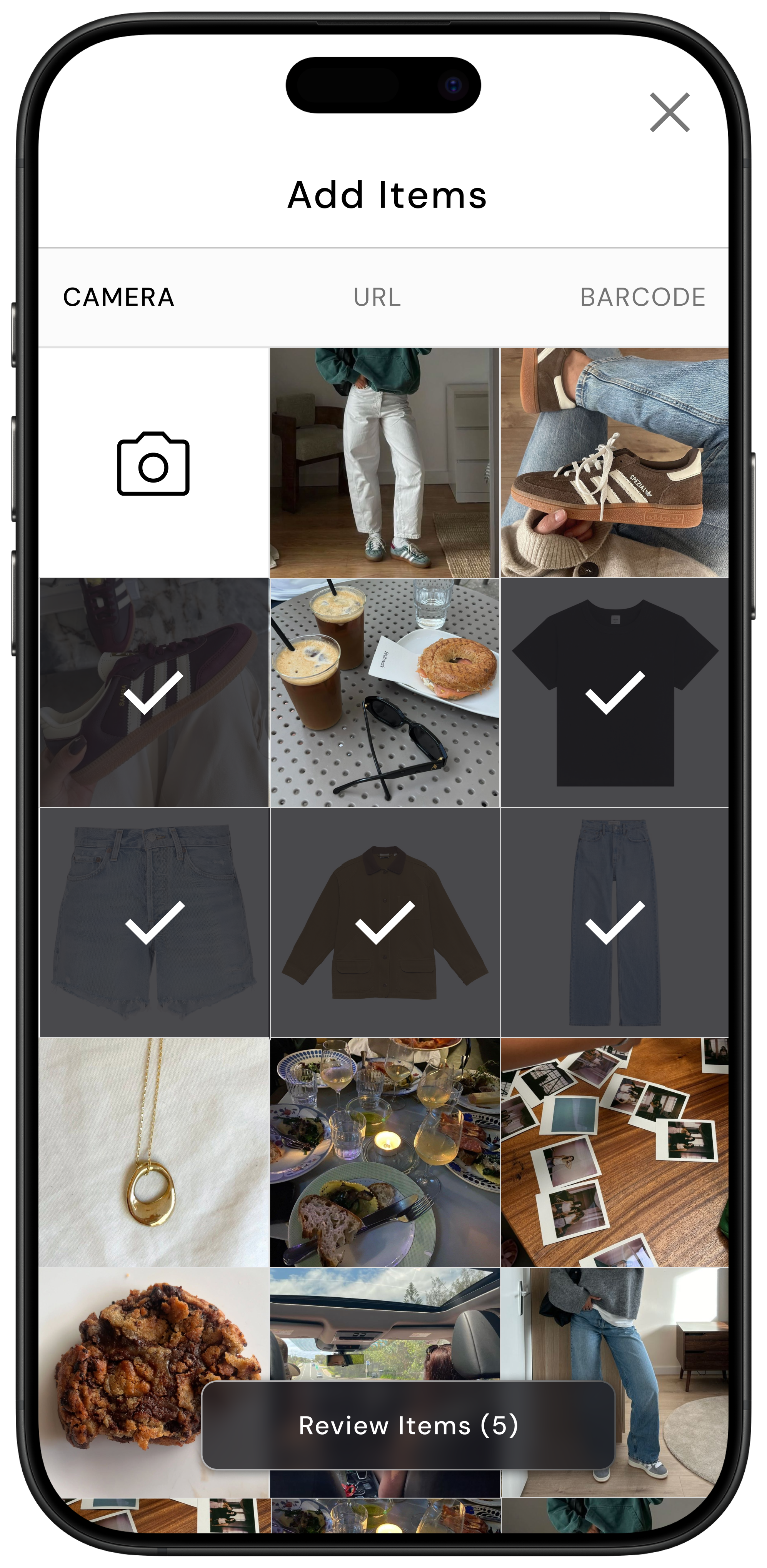
Clothing Upload & Organization: Users upload photos of their clothes via camera or gallery. Auto-detection helps categorize (top, pants, shoes) with tags for color, season, and occasion.
Why: A digital wardrobe foundation is essential for all other features. Without this, users can’t log or plan outfits.
Outfit Logging: One-tap save for “Today’s Outfit” with calendar view. Option to add notes about events
Why: Reduces mental load of remembering past outfits, prevents repeats, and makes style tracking easier.
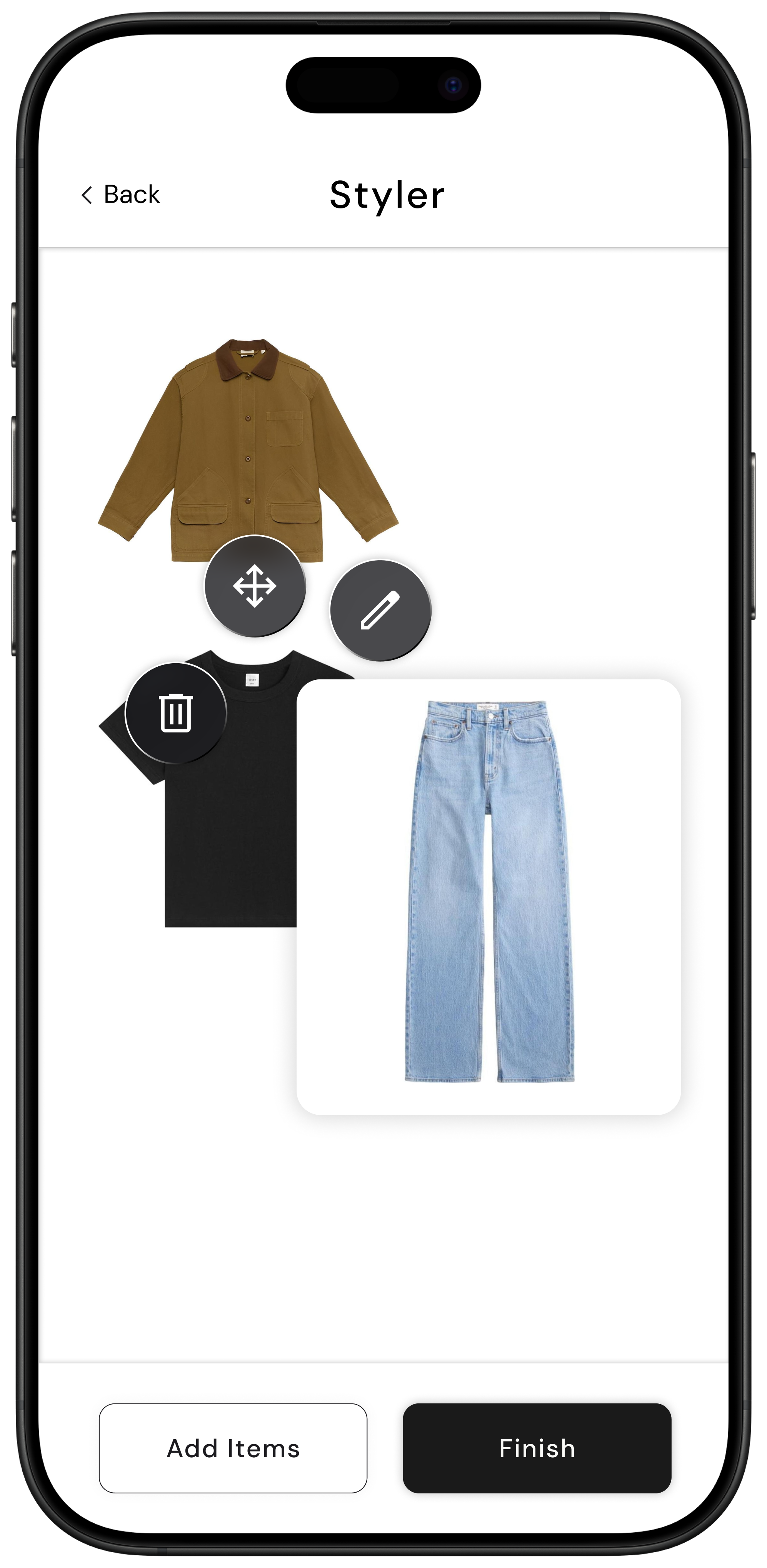
Outfit Planning: Drag-and-drop clothing items to build, save, and plan outfits.
Why: Supports proactive decision-making, reduces morning stress, and ensures intentional use of clothes.
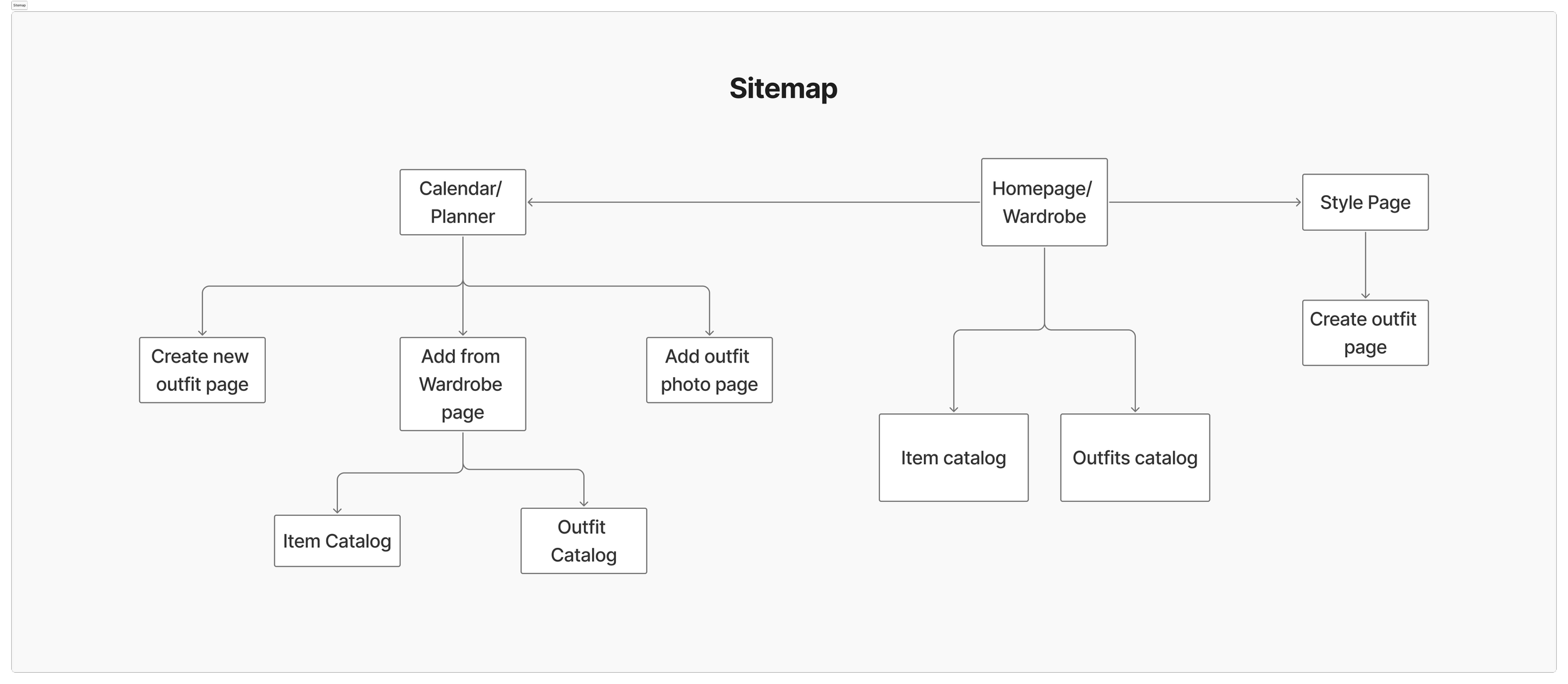
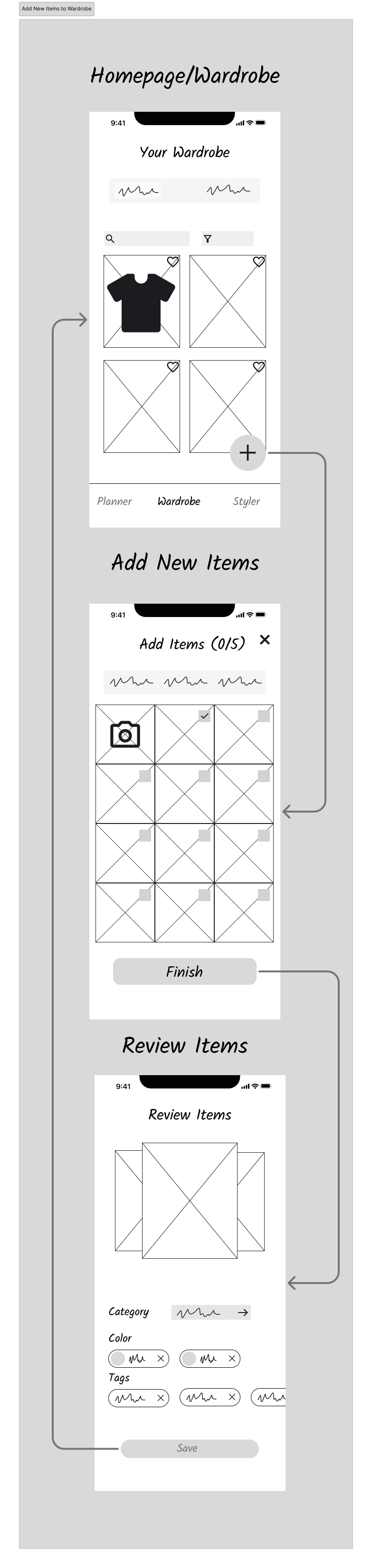
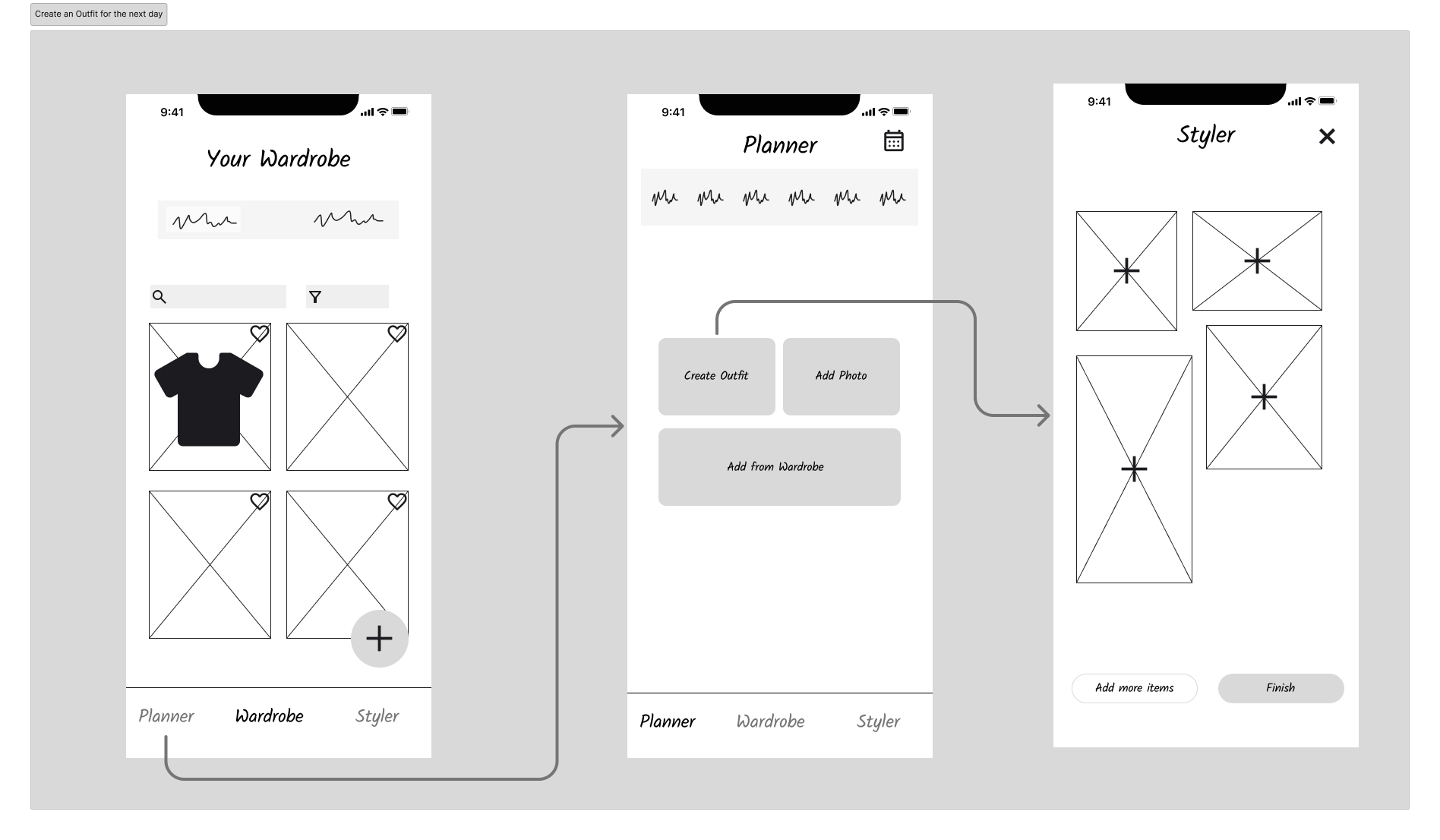
Developed user flows for core features and created a sitemap with three main navigation sections (Wardrobe, Styler, Planner), then translated these into low-fidelity wireframes for initial usability testing.
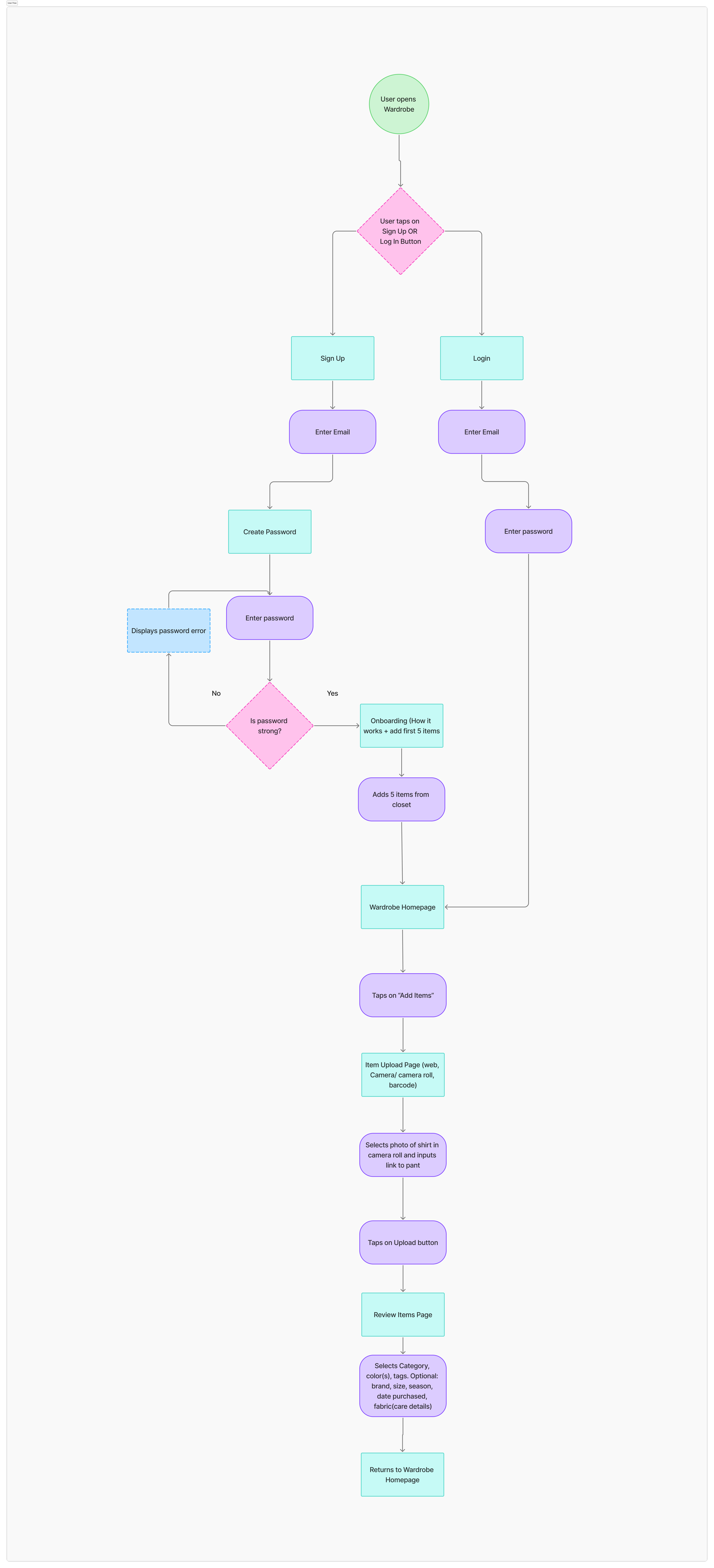
Mapped user flows for each core feature to understand how users would interact with clothing upload, outfit logging, and outfit planning functionalities, ensuring logical task completion paths.
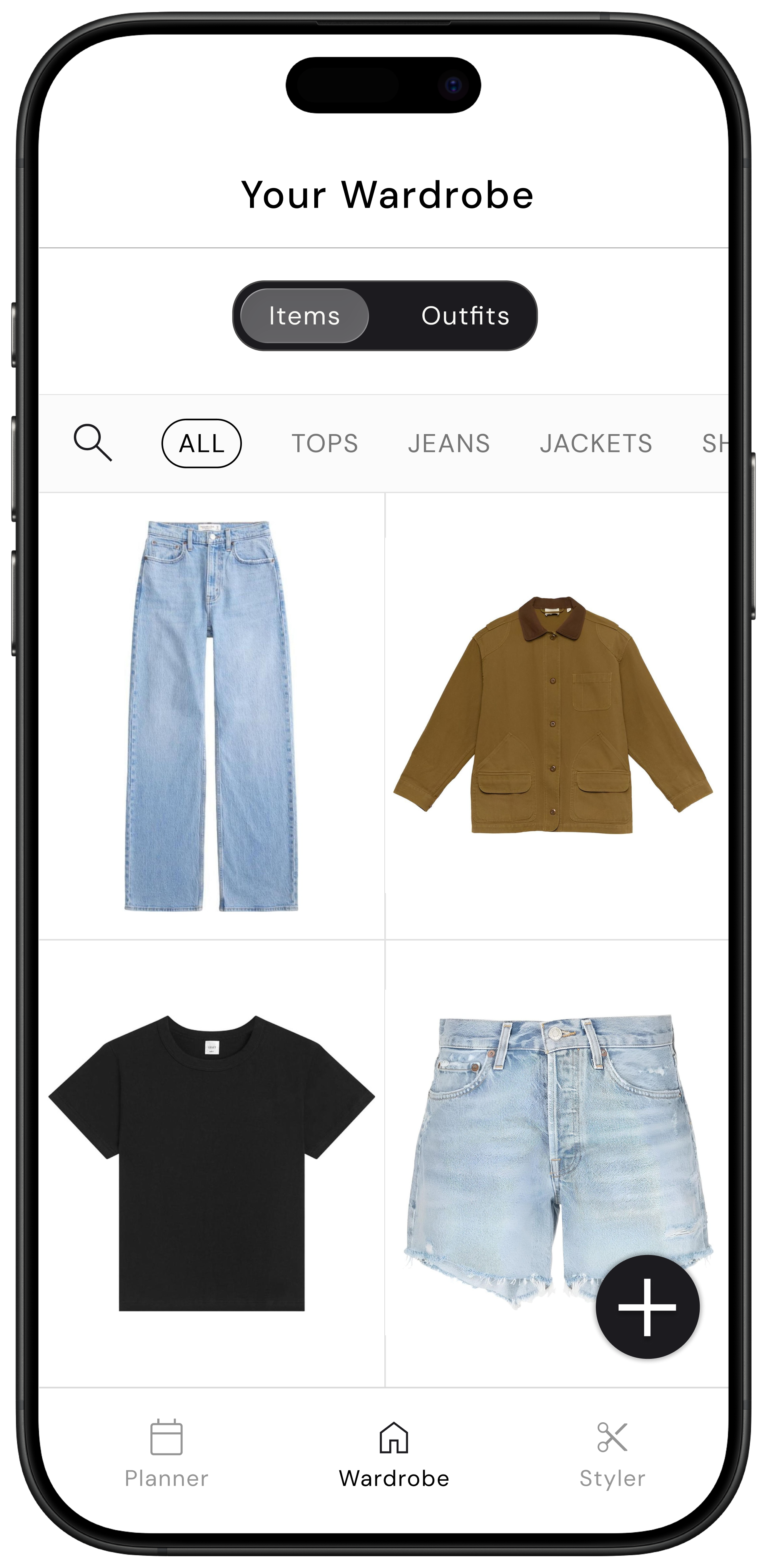
Created a sitemap organizing the app into three primary navigation sections: Wardrobe (for clothing upload and gallery view), Styler (for outfit creation), and Planner (for outfit scheduling and calendar view), providing clear mental models for users.
Identified a critical friction point during user flow mapping: while designing the flow for adding items to the wardrobe, I realized the extensive upfront effort required would create a significant adoption barrier, prompting me to pause and redesign the upload experience before proceeding with wireframes.
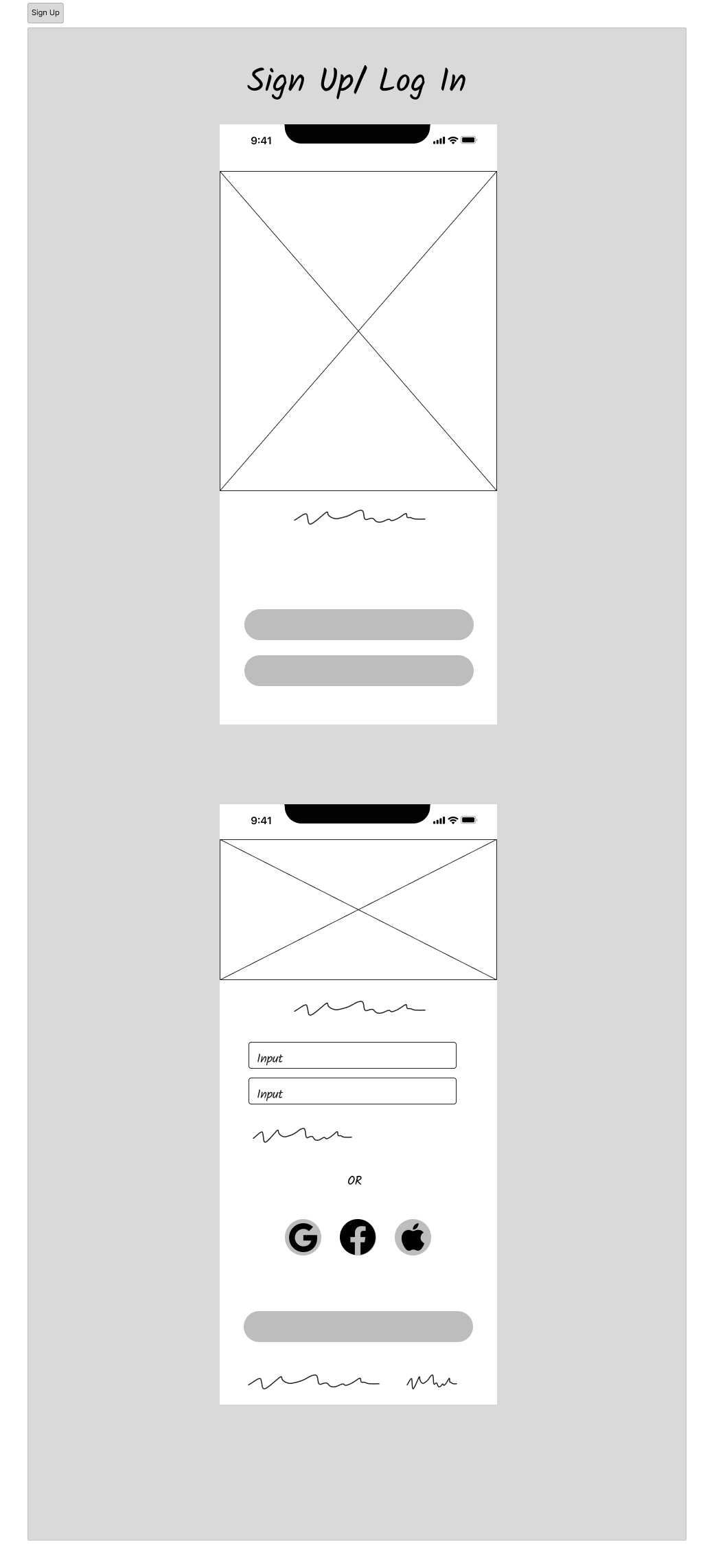
Reduce Onboarding Friction Through Creative Problem Solving
After mapping user flows for adding wardrobe items, I hit a significant roadblock: I identified that the upfront effort of logging clothing could create a significant barrier to adoption, an unrealistic commitment that would likely cause abandonment. I redesigned the upload experience with multiple entry methods and AI assistance to make onboarding feel effortless rather than burdensome.
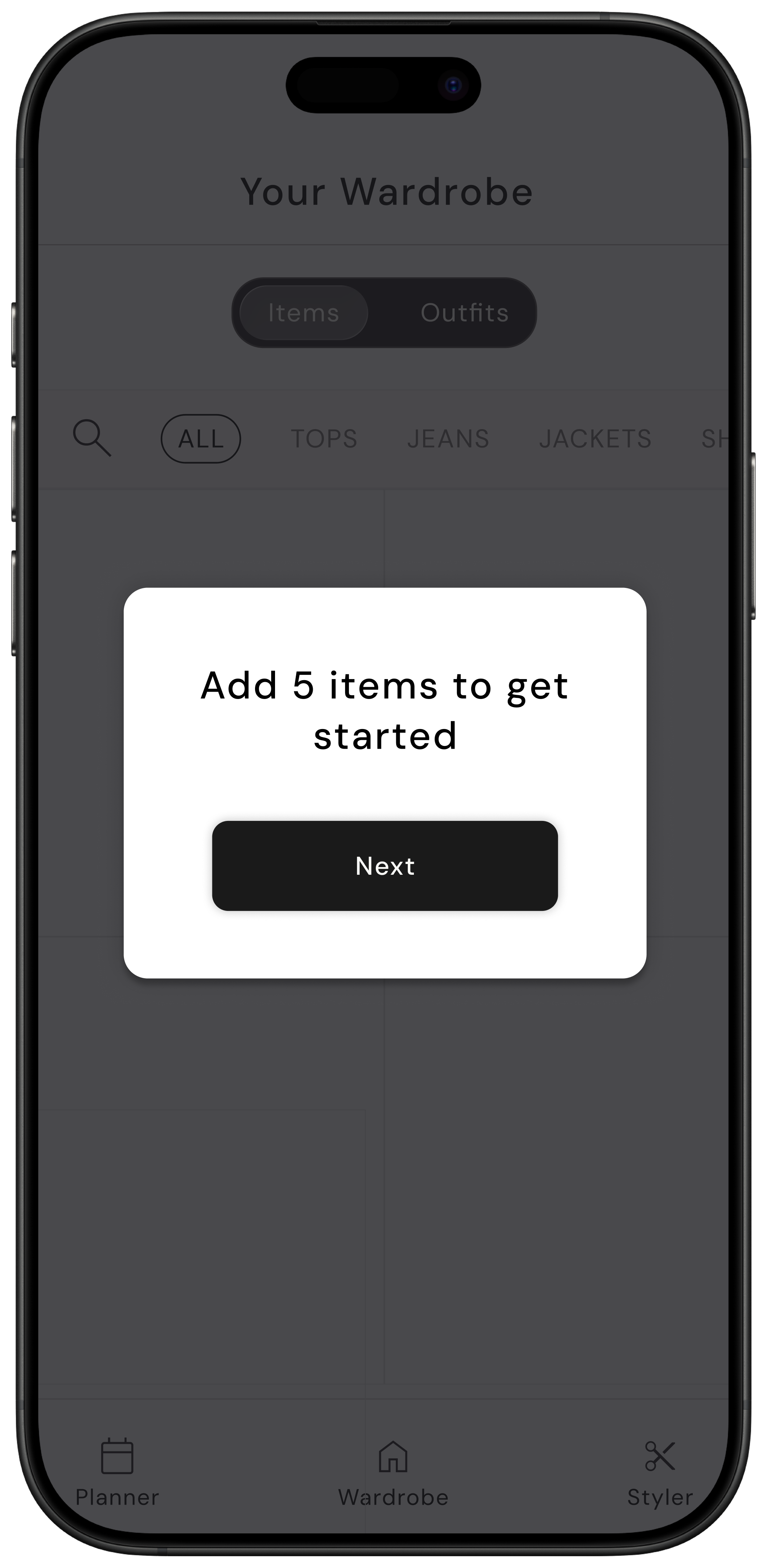
Pivoted from "complete first, use later" to "start small, build over time". Rather than requiring users to upload their entire wardrobe upfront, I designed flexible entry points that let users begin with just 5 items and grow their digital closet organically. I added strategic prompts like daily upload reminders during outfit selection to distribute effort naturally over time.
Designed three flexible upload methods to accommodate different user contexts and preferences: manual upload (take photo via camera or select from gallery), URL import (paste link from online retailers to automatically pull product images), and barcode scanning (scan tags on newly purchased items for instant upload), reducing friction at multiple entry points.
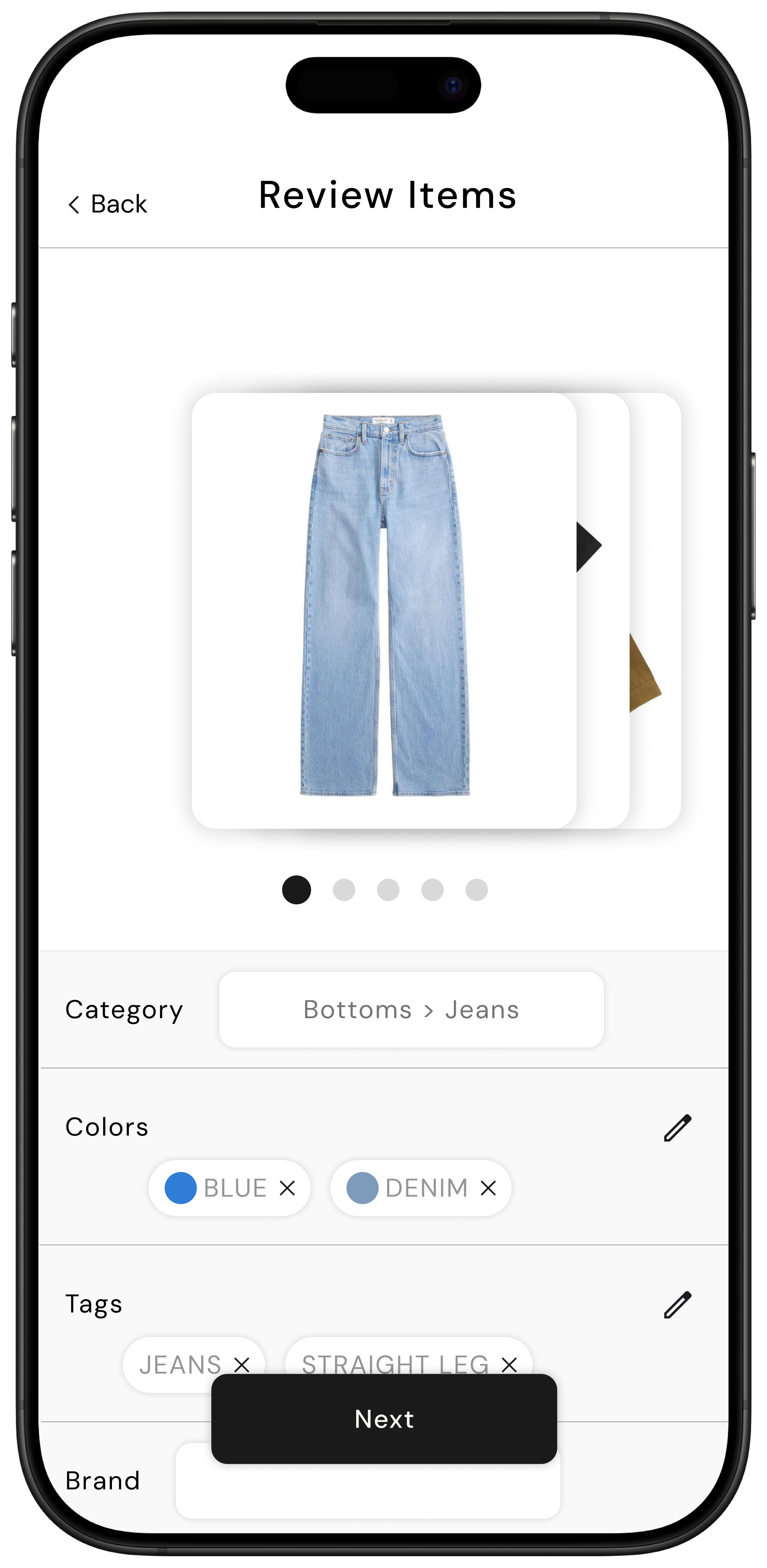
Integrated AI-powered auto-tagging that automatically identifies and tags three key attributes upon upload, color (e.g., black, navy, red), category (e.g., tops, bottoms, shoes, outerwear), and type (e.g., t-shirt, jeans, sneakers), eliminating the tedious manual data entry that would otherwise discourage users from building their digital wardrobe.
Implemented AI background removal to create clean, professional-looking item photos regardless of where users photograph their clothes, maintaining visual consistency in the gallery view and reducing the barrier of needing "perfect" photos to get started.
Iterative Usability Testing & Design Refinement
Conducted usability testing with 5 participants using low-fidelity wireframes to validate design decisions, uncover usability issues, and refine navigation and messaging based on direct user feedback across three core task flows. Tracked task completion rate, error rate, and time on task to quantify usability issues.
Designed three task-based scenarios to evaluate critical user journeys: Task 1 tested the signup process and adding the first 5 items to observe onboarding friction and upload method comprehension; Task 2 required creating an outfit for a specific date (September 9th) to validate the planner integration and calendar interaction; Task 3 involved creating an outfit and saving it to the wardrobe to assess the distinction between planned and saved outfits.
Identified critical mental model confusion: 2 out of 5 participants questioned the distinction between "Add to Wardrobe" vs "Add to Planner," wondering if there was a purpose to wardrobe-only saves if outfits were already created through the planner. They suggested that "Add to Planner" should automatically add to the wardrobe as well, revealing a logical workflow gap.
Discovered navigation pain points: 3 out of 5 participants were confused about being redirected to the wardrobe outfit page after creating an outfit, expecting to remain in the Styler to continue building additional outfits rather than having to navigate back. This insight led to redesigning the post-creation flow to better support batch outfit creation and reduce navigation friction.
Visual Design System & High-Fidelity Prototyping
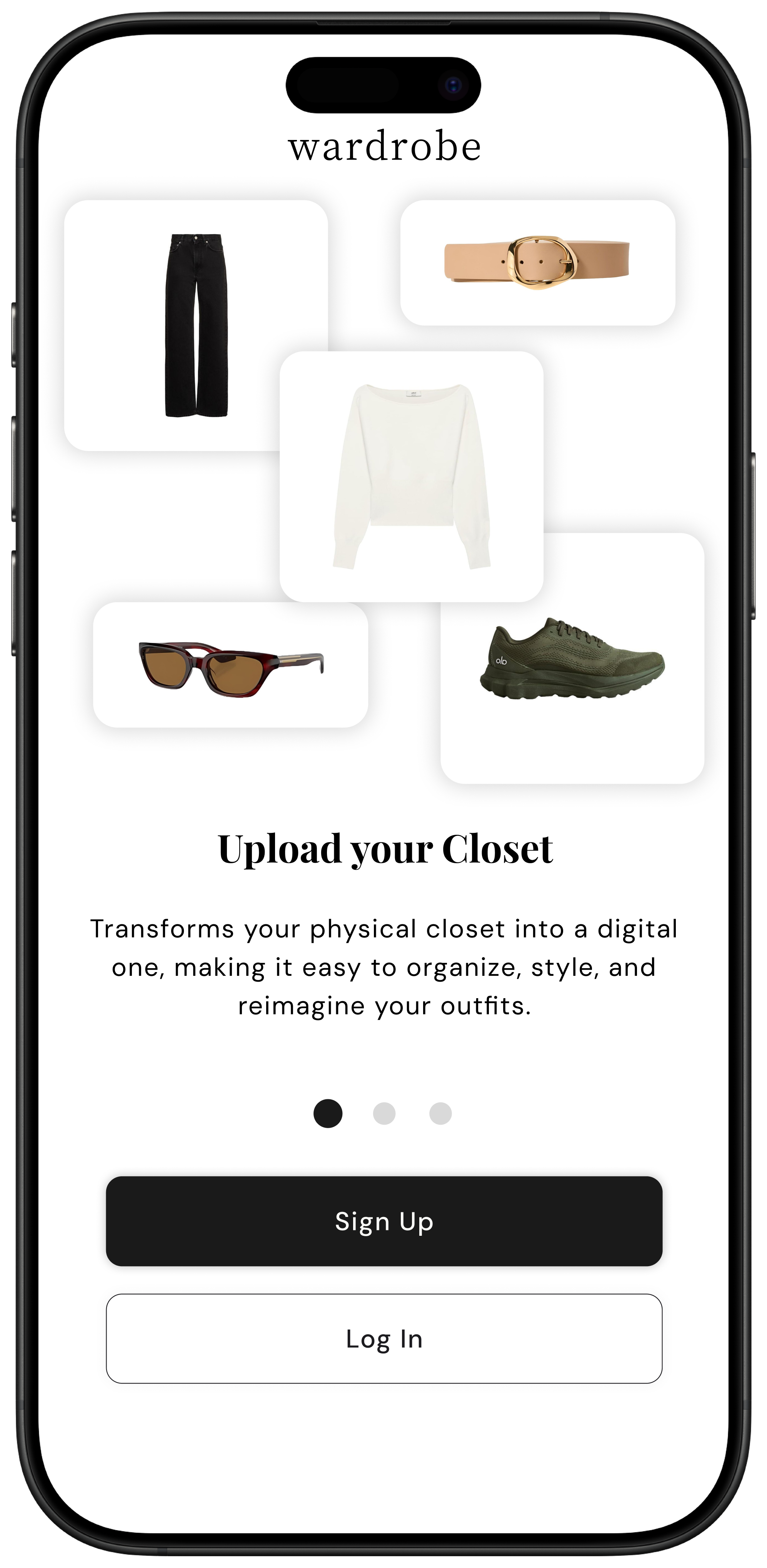
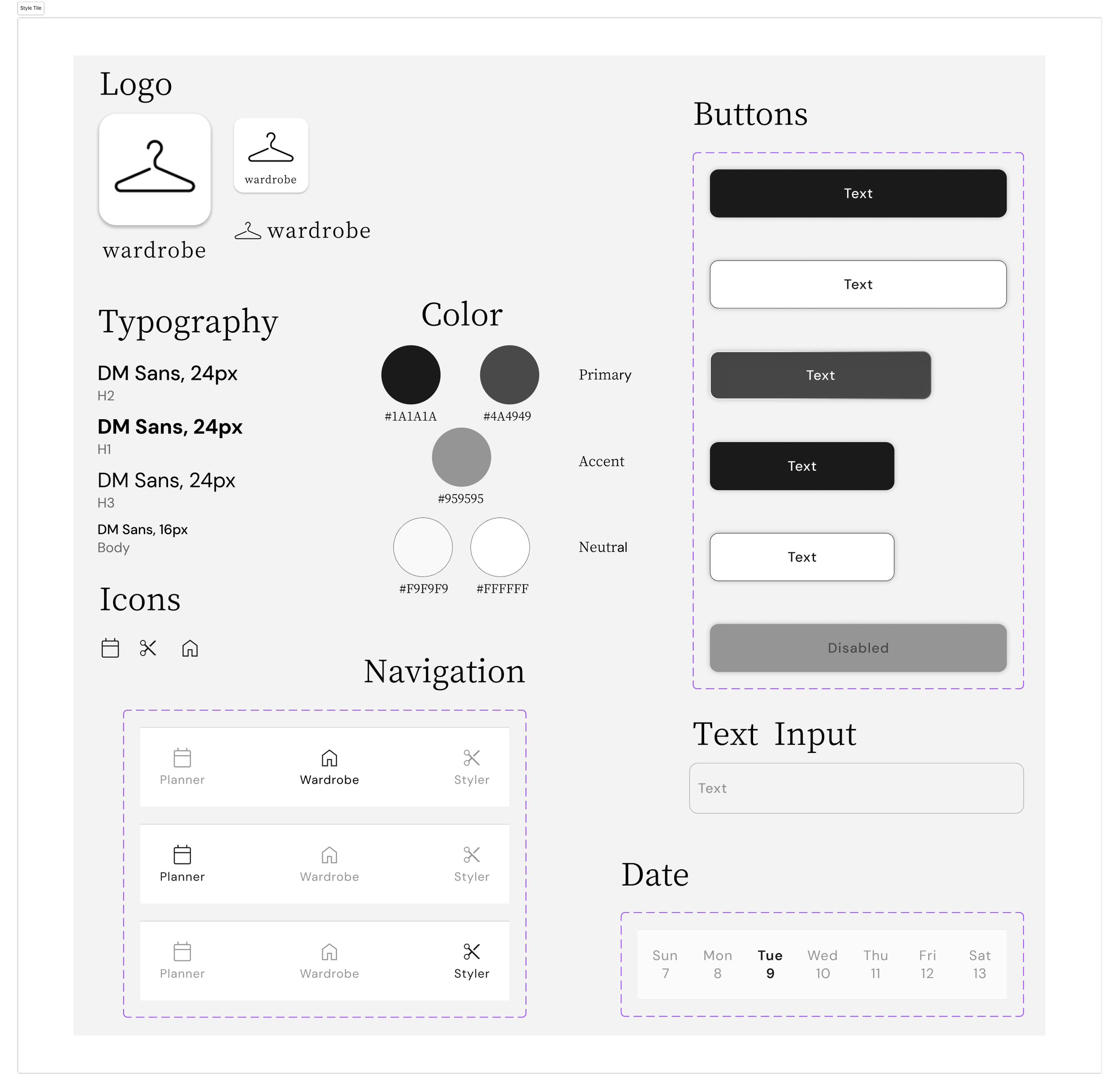
Established a premium, gender-neutral brand identity where clothing items take visual center stage like in magazines and e-commerce, while maintaining neutral supporting elements. Developed a comprehensive design system and high-fidelity prototypes that elevated the experience while maintaining usability.
Created a visual hierarchy inspired by editorial and e-commerce design: prioritized making the clothing items themselves stand out prominently (similar to magazine spreads and product photography), while keeping all supporting UI elements—backgrounds, buttons, navigation—intentionally neutral to avoid gendered associations and let users' personal style be the focus.
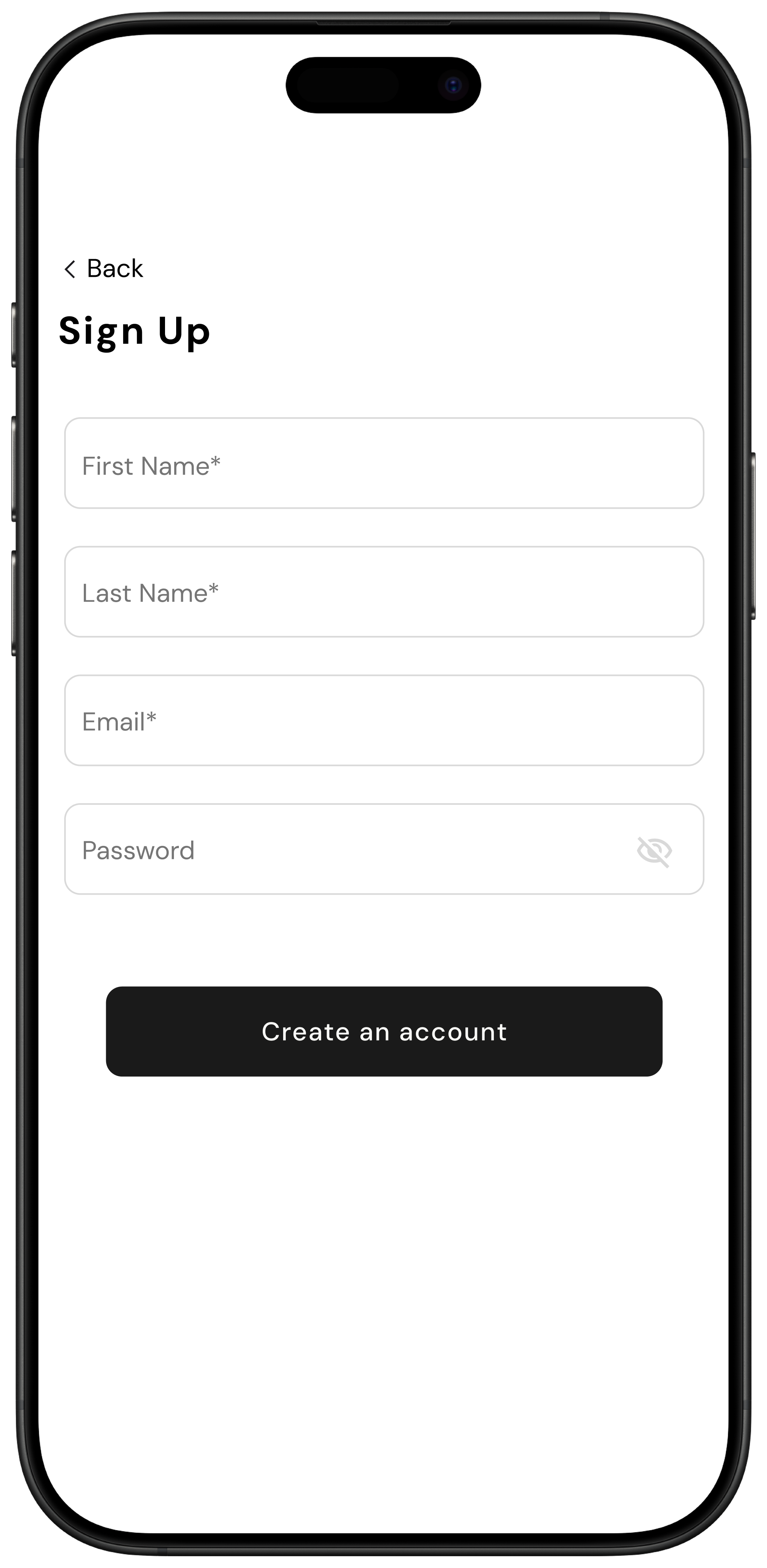
Developed a comprehensive design system including a curated component library (buttons, cards, input fields, modals), a neutral color palette that creates visual breathing room, typography that balances readability with sophistication, and an iconography set that maintains consistency across all interactions while supporting intuitive navigation.
Built high-fidelity prototypes incorporating insights from usability testing—including consolidated save functionality where "Add to Planner" automatically adds to wardrobe, and improved post-creation navigation that allows users to continue outfit building—resulting in an intuitive MVP that empowers users to organize wardrobes, minimize decision fatigue, and cultivate confident, intentional personal style.
Reflection
What I learned: This project reinforced that reducing user effort isn't just about fewer clicks. It's about distributing effort over time and making each interaction feel valuable. The onboarding friction challenge taught me to stress-test user flows with realistic scenarios early, before investing in wireframes.
Key trade-offs: To keep the MVP scope manageable within the allotted timeframe, I deprioritized the "Closet Health Stats" feature (showing overused/underused items) in favor of perfecting the core upload and outfit creation flows. While this feature tested well conceptually, it required complex tracking logic that could be added in a future iteration once the foundational experience was validated.
If I had more time: I would conduct a study to understand how users' behavior with the app evolves after the first week. Do they continue uploading items? How often do they plan outfits versus log them retroactively? This data would inform which features to build next and how to optimize retention.